
Webhook Events
General
You can leverage your service’s webhook functionality to build connector events that are triggered by your webhooks. Webhook Events will only run when the corresponding webhook is triggered, as opposed to Polling Events, which will run a check at a given time interval.
When the user turns on a Flow that starts with a Webhook Event, our platform will call an API endpoint to set up a webhook with your service. From then on, whenever the webhook is activated, the event will run and trigger the rest of that user’s Flow. When the Flow is turned off, our platform will then teardown your webhook connection.
To declare an event as a webhook event, click on the ellipses by the event name, select “Configure Method,”

and then select “Webhook” in the Event Type dropdown.
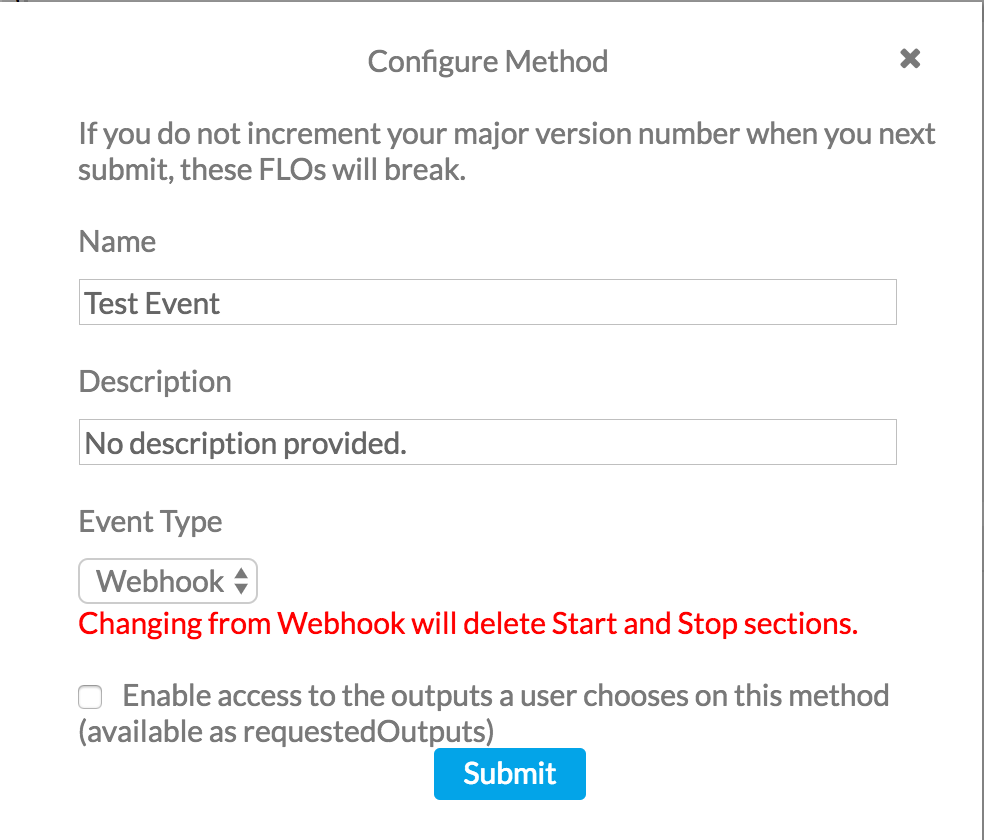
Once you do, you’ll see three sections pop up underneath your Event’s name: “Start”, “Core”, and “Stop”.
“Start” is the operation that will run when the platform’s engines programmatically set up a webhook with your service.
“Core” is the operation that will run whenever the webhook is triggered.
“Stop” is the operation that will run when the platform’s engines programmatically tear down a webhook to your service.
Fundamentally, each of these sections are still just a series of modules, the same as “Core” in a Polling Event or in an Action.
Start
The “Start” section of your Webhook Event is run whenever a user turns on a Flow that uses your Webhook Event as its trigger. The “Start” section is responsible for hitting the API endpoint of your service responsible for creating a new webhook connection.
Often times you’ll need information from inside your service’s response from webhook setup in the rest of your Webhook Event. The platform allows you to access this through {{input.blob.fieldName}}. The input.blob is generated from the final output of your “Start” section.
For example, let’s say your service requires a webhook ID to teardown the webhook connection, and your service returns the webhook ID in the response under the field name id. You would need to make sure your “Start” section outputs that response. Then you can access this value in your “Stop” section by using {{input.blob.id}}. Additionally, you can also access the URL that the webhook will be set up on by using {{input.url}}.
For more information, check out the example at the end of this post.
Core
The “Core” section of a Webhook Event is run whenever your webhook is triggered. This is where the main piece of functionality of your Event will be defined, and is often the most involved aspect of your Event.
The functionality of this section will depend on your service and what the goal of your event is. However, the final output of this section must always be a single object that matches the format of your “output” UI - just like an Action (shown in this example).
To reference data coming in from your webhook when your event is triggered, use {{input.data.fieldName}}.
Stop
The “Stop” section of a webhook is run whenever a user removes your webhook event from a Flow, or turns off/deletes a Flow using your Event.
The “Stop” section is responsible for interacting with the API endpoint for your service that shuts off a webhook connection. To refer to any values that were passed from the service when a webhook connection was created, use {{input.blob.fieldName}}
Handling Lists of Events
Flag: "webhookListReturn": true
Depending on the service’s webhook API, it may be the case that multiple events are sent in one request. In order to process each event in a single request, you must add a flag at the top level of the event definition. It is recommended these keys are added at the bottom of the event - for example, the same place the invokableList, requestedOutputs, etc. flags are usually located. To view the full definition of the event, click on the name of the event in the sidebar on the left. For example, in the image below you would click on “User Added to Application Membership - Webhook”, and you would be presented with this window:
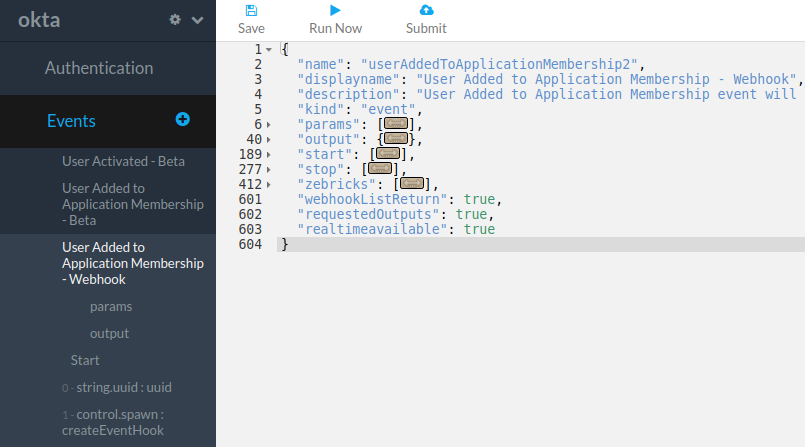
Notice the webhookListReturn flag is added underneath the ‘core’ / ‘zebricks’ section, as a top level key.
An event using this flag must end the ‘Core’ section with a list/array of objects. In most cases, it is recommended to use the list.map module. The Okta webhook events are good examples that leverage the webhookListReturn flag.
Running Webhook Tests
Webhook tests come in two varieties- running each segment on their own, and fully setting up a webhook and “listening” for webhook triggers.
The first type is fundamentally very similar to running an Action. To run this style, select any module within the Start/Stop/Core section you would like to run, and then click “Run”.
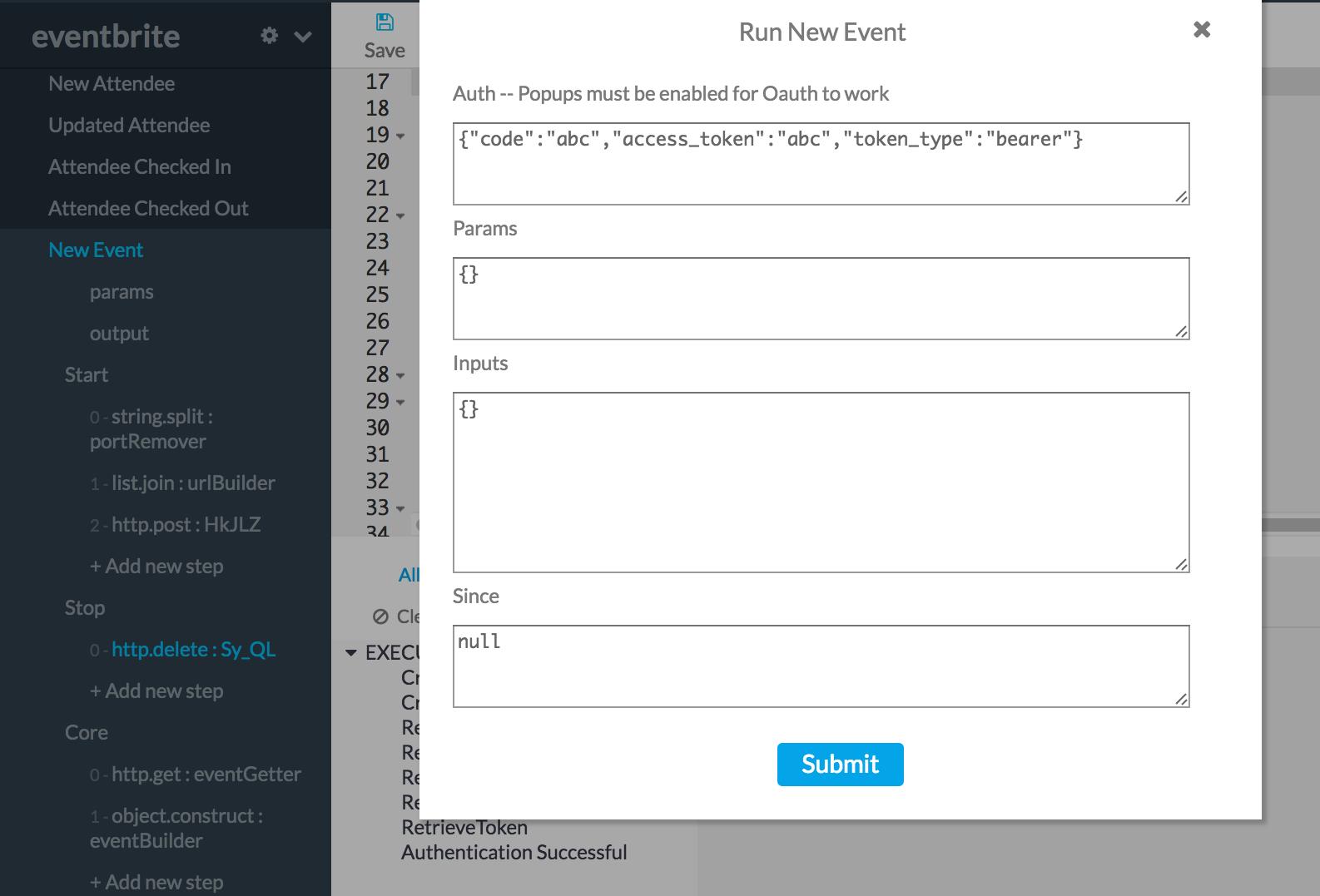
While testing “Core”, put any data you would like to test inside a data object in the “input” section, like so:
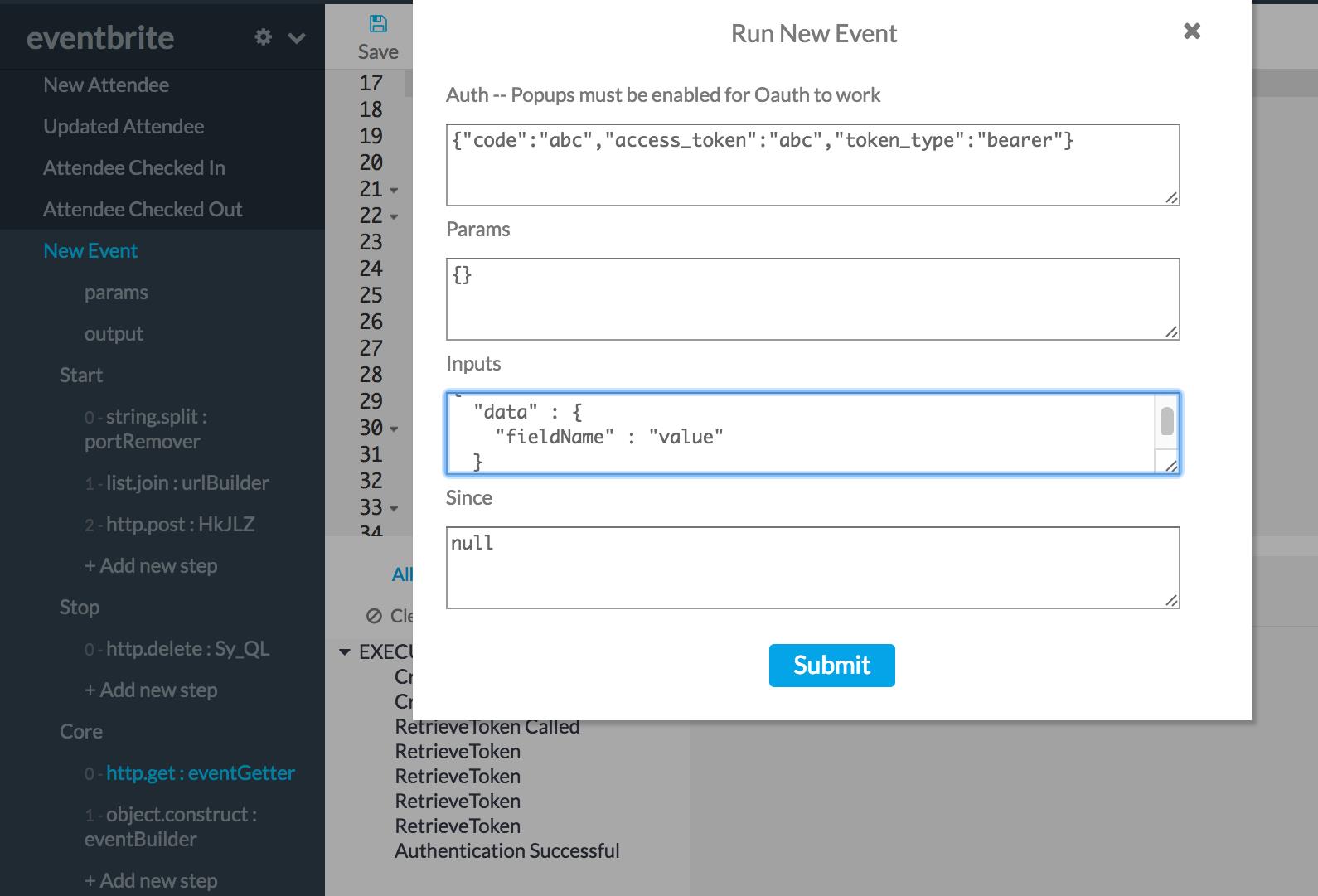
While testing “Stop”, put any information you need inside of a blob object in the “input” section, like so:
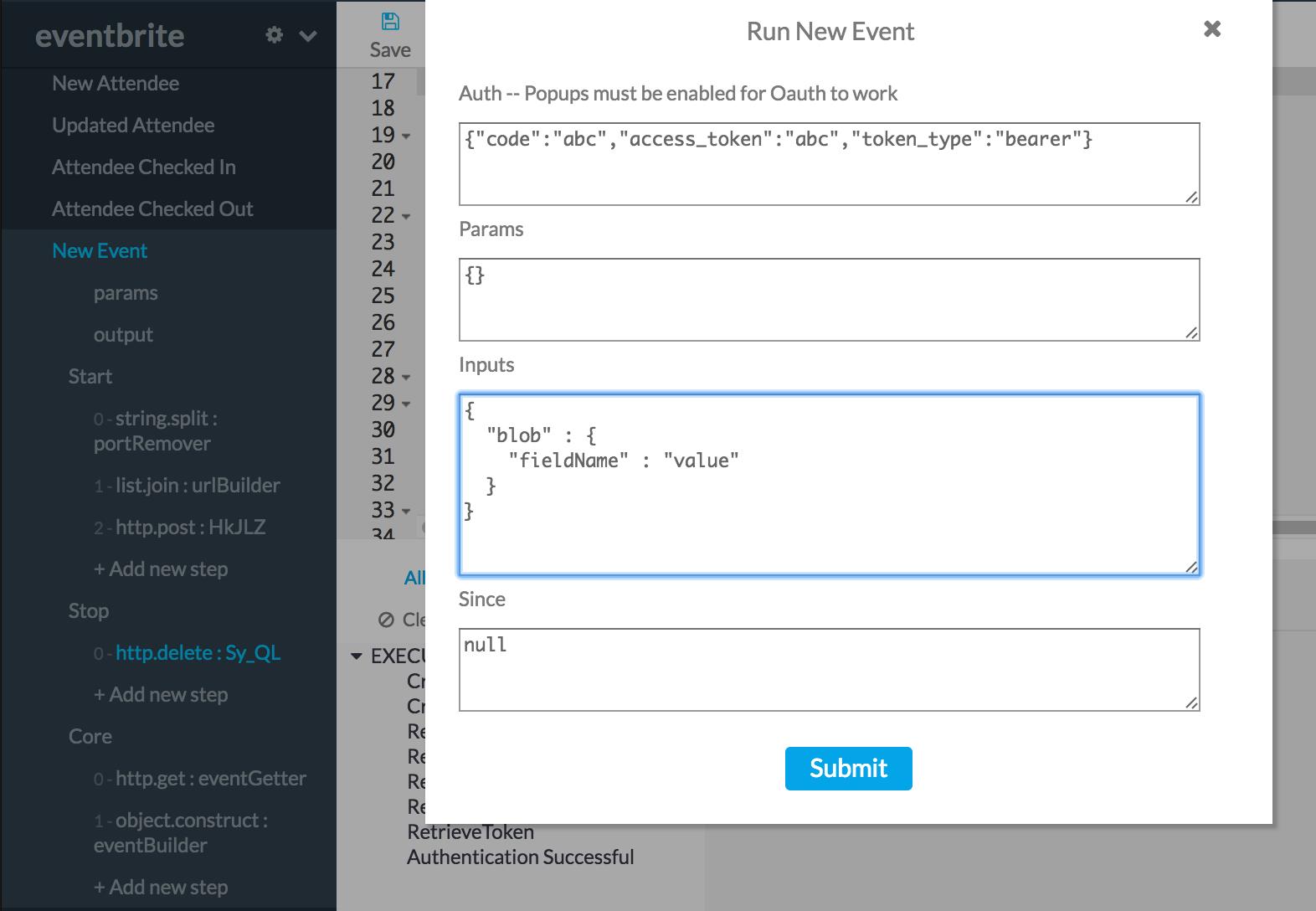
The second type of testing fully sets up a webhook and listens for updates. This type will set up a webhook for you, display logs in the log window for each time your “Core” section runs, and gives you an option to close down your webhooks.
To use this type of test, click on the name of your webhook event, and click run - without changing/passing in any inputs.
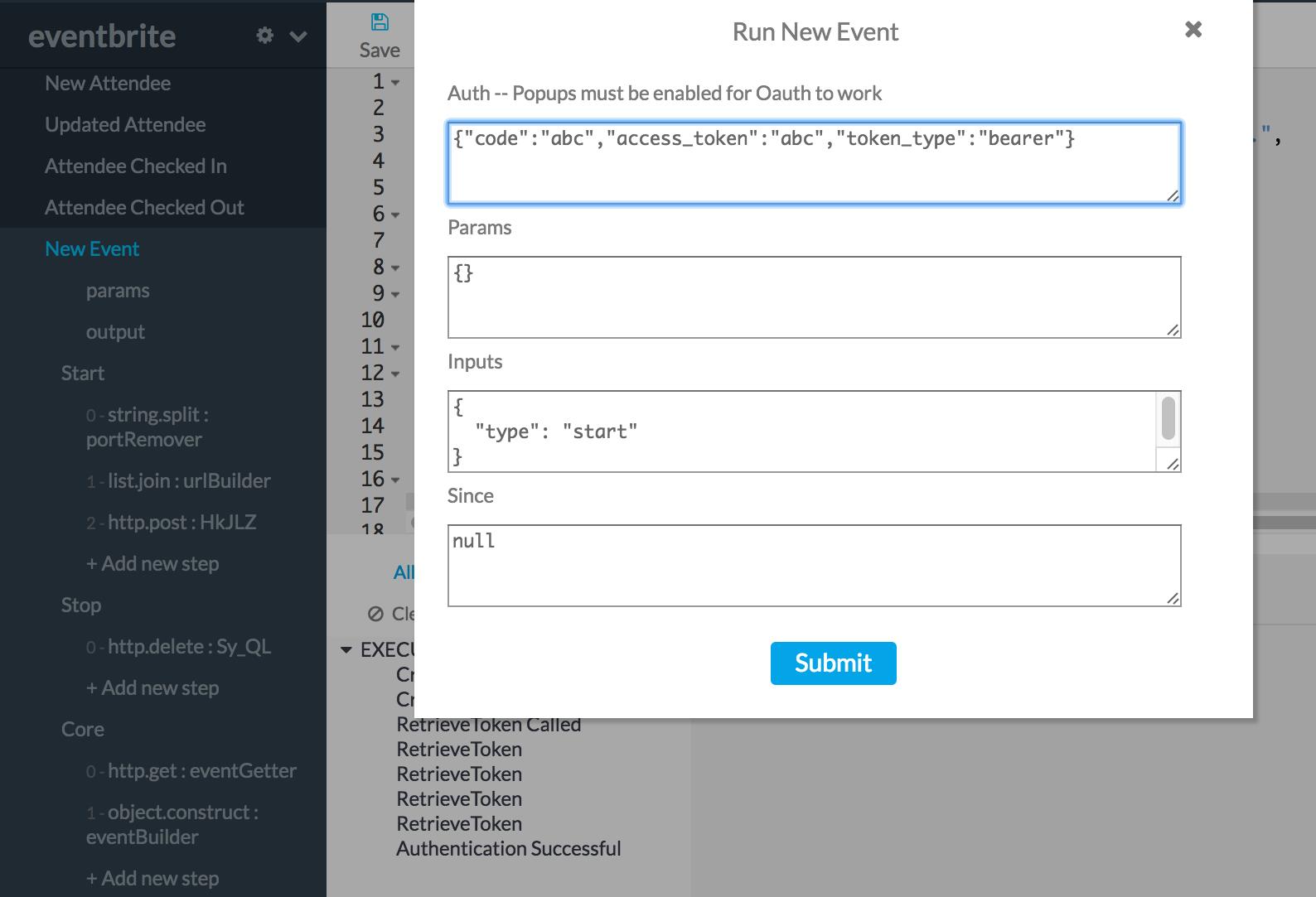
Then, inside of your service, perform whatever actions causes your webhook to trigger. You should see logs start coming in, processing the brand new webhook trigger event.
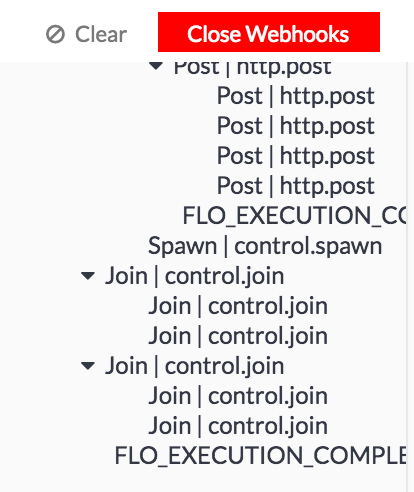
To close your webhook, you can click this button, and see logs for the teardown process.
Example
Here’s an example from the Eventbrite connector.
Start:
{
  "brick": "string.split",
  "id": "portRemover",
  "inputs": {
    "string": {
      "_type": "string",
      "_array": false,
      "_value": "{{input.url}}"
     },
     "delimiter": {
       "_type": "string",
       "_array": false,
       "_value": ":443"
     }
  },
  "outputs": {
    "output": {
      "_type": "string",
      "_array": true
    }
  }
},
{
  "brick": "list.join",
  "id": "urlBuilder",
  "inputs": {
    "list": {
      "_availableTypes": [
        "number",
        "string",
        "boolean",
        "Date"
      ],
      "_type": "string",
      "_array": true,
      "_value": "{{portRemover.output}}"
    },
    "delimiter": {
      "_type": "string",
      "_array": false,
      "_value": ""
    }
  },
  "outputs": {
    "string": {
      "_type": "string",
      "_array": false
    }
  }
},
{
  "brick": "http.post",
  "id": "makeWebhook",
  "inputs": {
    "url": {
      "_availableTypes": [
        "string"
      ],
      "_type": "string",
      "_array": false,
      "_value": "https://www.eventbriteapi.com/v3/webhooks/?token={{auth.access_token}}"
    },
    "body": {
      "_availableTypes": [
        "object",
        "string"
      ],
      "_type": "object",
      "_array": false,
      "_value": {
        "actions": "event.created",
        "endpoint_url": "{{urlBuilder.string}}"
      }
    },
    "headers": {
      "_type": "object",
      "_array": false,
      "_value": {
        "Authorization": "Bearer {{auth.access_token}}",
        "Content-Type": "application/json"
       }
     }
   },
  "outputs": {
    "body": {
      "_type": "object",
      "_array": false
    },
    "statusCode": {
      "_type": "number",
      "_array": false
    }
  }
},
{
  "brick": "control.let",
  "id": "blob",
  "inputs": {
    "id": "{{makeWebhook.body.id}}"
  },
  "outputs": {}
}
Core:
{
  "brick": "http.get",
  "id": "eventGetter",
  "inputs": {
    "url": {
      "_availableTypes": [
        "string"
      ],
      "_type": "string",
      "_array": false,
      "_value": "{{input.data.api_url}}?token={{auth.access_token}}&expand=promotional_code"
    },
    "headers": {
      "_type": "object",
      "_array": false,
      "_value": {
        "Authorization": "Bearer {{auth.access_token}}"
      }
    }
  },
  "outputs": {
    "statusCode": {
      "_type": "number",
      "_array": false
    },
    "body": {
      "_type": "object",
      "_array": false
    }
  }
},
{
  "brick": "object.construct",
  "id": "eventBuilder",
  "inputs": {
    "Event": {
    "Name": "{{eventGetter.body.name.text}}",
    "Description": "{{eventGetter.body.description.text}}",
    "URL": "{{eventGetter.body.url}}",
    "Start Time": "{{eventGetter.body.start.utc}}",
    "End Time": "{{eventGetter.body.end.utc}}",
    "Created At": "{{eventGetter.body.created}}",
    "Changed At": "{{eventGetter.body.changed}}",
    "Capacity": "{{eventGetter.body.capacity}}",
    "Status": "{{eventGetter.body.status}}",
    "Venue ID": "{{eventGetter.body.venue_id}}",
    "Category ID": "{{eventGetter.body.category_id}}",
    "Subcategory ID": "{{eventGetter.body.subcategory_id}}",
    "Online Event?": "{{eventGetter.body.online_event}}",
    "Listed?": "{{eventGetter.body.listed}}",
    "Shareable?": "{{eventGetter.body.shareable}}",
    "Password": "{{eventGetter.body.password}}",
    "Invite Only?": "{{eventGetter.body.invite_only}}"
   }
  },
  "outputs": {
    "output": {
      "_type": "object",
      "_array": false
    }
  }
}
Stop:
{
  "brick": "http.delete",
  "id": "teardown",
  "inputs": {
    "url": {
      "_type": "string",
      "_array": false,
      "_value": "https://www.eventbriteapi.com/v3/webhooks/{{input.blob.id}}/?token={{auth.access_token}}"
     },
     "body": {
       "_availableTypes": [
         "object",
         "string"
       ],
       "_type": "object",
       "_array": false,
       "_value": {}
     },
    "headers": {
      "_type": "object",
      "_array": false,
      "_value": {
        "Authorization": "Bearer {{auth.access_token}}",
        "Content-Type": "application/json"
      }
    }
  },
  "outputs": {
    "statusCode": {
      "_type": "number",
      "_array": false
    },
    "body": {
      "_type": "object",
      "_array": false
    }
  }
}